





Blog

How to Get the Most Out of Your Chevy's Features

Classic Chevy

Driving a Chevy means having access to a lot of cool and useful features that can make your journeys more fun, safe, and comfortable. From advanced infotainment systems to state-of-the-art safety technologies, Chevys are packed with tools designed to enhance every aspect of your driving experience. But to truly reap the benefits of these features, it's important to understand how to use them to their fullest potential.

Whether you're a tech fan, a safety-focused driver, or you just want to enjoy a more comfortable ride, there's something in your Chevy for you. From navigating seamlessly with Apple CarPlay and Android Auto to maximizing your vehicle's performance with different drive modes and traction control systems, your Chevy offers a wide range of options to explore.

At Finnegan Chevrolet Buick GMC, we want you to get the most out of your vehicle. So, we'll dive into how you can optimize the various features your Chevy has to offer. With a better understanding of your vehicle's capabilities, every drive can become smoother, safer, and more enjoyable. Let's get started on making the most of your Chevy's incredible features!

Using Chevy's Infotainment Systems to Enhance Your Drive

Driving can be a lot more enjoyable with the right entertainment and connectivity options, and Chevy's infotainment systems deliver just that. One of the main features you’ll enjoy is the ability to stay connected effortlessly. Chevy’s infotainment systems offer Bluetooth connectivity, allowing you to stream your favorite music, podcasts, and audiobooks. You can also make hands-free calls and send text messages using voice commands, which keeps you safe while driving.

Chevy’s infotainment systems also provide a variety of entertainment options. With access to satellite radio, you can listen to a wide range of channels, from news and sports to music and comedy. In addition, many models come with built-in Wi-Fi, so passengers can connect their devices and surf the web, watch videos, or play games during long drives.

Navigating with Built-In Navigation and Apple CarPlay/Android Auto

Getting lost is a thing of the past with Chevy’s built-in navigation and connectivity to Apple CarPlay and Android Auto. The navigation system provides real-time updates and can find the fastest route to your destination. It also offers points of interest like gas stations, restaurants, and tourist attractions along your route.

By connecting your smartphone via Apple CarPlay or Android Auto, you can use your preferred maps app directly on the infotainment screen. This makes it easy to get directions, find destinations, and even receive alerts about traffic conditions. Plus, these systems allow you to use compatible apps, access your contacts, and play music from your own library, ensuring a personalized driving experience.

Maximizing Safety Features for a Secure Ride

Safety is a top priority for Chevy, and their vehicles are equipped with advanced driver assistance technologies to keep you and your passengers safe. Features like adaptive cruise control, lane-keeping assist, and automatic emergency braking help to prevent accidents and make driving less stressful. Knowing how to use these technologies can make a big difference in how secure you feel on the road.

Understanding Driver Assistance Technologies

Several Chevy models come with driver assistance technologies that can help you drive more safely. Adaptive cruise control automatically adjusts your car's speed to maintain a safe distance from the vehicle ahead. Lane-keeping assist gently steers your car back into its lane if it detects you are drifting. Another helpful feature is automatic emergency braking, which can apply the brakes if a collision seems imminent.

Additional safety features include blind-spot monitoring, which alerts you if a car is in your blind spot when you’re changing lanes, and rear cross-traffic alert, which warns you of approaching vehicles when you’re backing out of a parking space. These technologies work together to provide a safer driving experience.

Tips for Using Safety Alerts and Warnings

To get the most out of your Chevy’s safety systems, it’s important to understand how to use the alerts and warnings effectively. Pay attention to warning lights and sounds, which can indicate potential issues, like when a vehicle is too close. Make sure your mirrors are set correctly to get the full benefit of blind-spot monitoring.

Regularly check the settings in your vehicle’s infotainment system to ensure that the safety features are activated and set to your preferences. This way, you can drive with confidence, knowing that your Chevy is helping you stay safe on the road.

Getting the Most from Performance and Handling Features

One of the highlights of driving a Chevy is the exceptional performance and handling features available. Knowing how to use these features can make your driving experience even better.

Utilizing Drive Modes and Suspension Settings

Many Chevys come with different drive modes and adjustable suspension settings, which can adapt to various driving conditions and preferences. For example, you might find modes like Sport, Eco, or Off-Road. Switching to Sport mode can make the car more responsive and provide a more exhilarating drive, while Eco mode is designed to maximize fuel efficiency for longer trips.

Adjustable suspension settings can also improve your ride quality. If you’re driving on rough terrain, changing the suspension settings can help absorb bumps and provide a smoother ride. On the other hand, if you're on a smooth, straight road, you might prefer a stiffer setting for better handling and control.

Advantages of Traction Control and Stability Systems

Chevy's traction control and stability systems are designed to keep you safe by preventing wheel spin and maintaining vehicle stability, especially on slippery roads. Traction control helps to maintain grip by reducing power to wheels that are slipping. Stability control works by applying brakes to individual wheels to keep the vehicle headed in the direction you’re steering.

Using these systems effectively improves your driving safety and performance. For example, in snowy or wet conditions, these systems help you maintain control and prevent skidding. Getting familiar with these features and knowing when to rely on them ensures a safer and more confident drive.

Enhancing Comfort and Convenience in Your Chevy

Comfort and convenience make a significant difference, especially on longer trips. Chevy vehicles are loaded with features to make your drive more enjoyable.

Adjusting Climate Control and Seating Configurations

Chevy’s climate control systems allow you to set the perfect temperature for you and your passengers. Dual-zone or tri-zone climate control helps different areas of the car stay at comfortable temperatures, so everyone enjoys the ride. Heated and cooled seats can also make a big difference in your comfort, providing warmth in winter and cooling in summer.

Seating configurations in Chevy vehicles are versatile, allowing for different arrangements based on your needs. If you need more cargo space, many models offer seats that fold flat, expanding your storage area. Adjusting the seats for maximum comfort ensures a pleasant trip for all.

Using Keyless Entry, Remote Start, and Other Convenience Features

Keyless entry and remote start are convenient features that make driving a Chevy easier and more enjoyable. With keyless entry, you can unlock and start your car without taking the key fob out of your pocket. Remote start allows you to start the car from a distance, so it’s already warmed up or cooled down when you get inside.

Other convenience features in Chevy vehicles include a power liftgate for easy access to your trunk and various storage compartments to keep your belongings organized. All these features add up to a more comfortable and convenient driving experience.

Master Your Chevy's Features for the Ultimate Driving Experience

Driving a Chevy provides you with an array of features that can significantly enhance your driving experience. By understanding and utilizing these features, you can make every journey more fun, safe, and comfortable.

Explore the powerful infotainment systems, maximize your safety with advanced technologies, fine-tune your vehicle's performance and handling, and enjoy the comfort and convenience features. Each aspect of your Chevy is designed to provide you with a superior driving experience.

If you're ready to discover the full potential of your Chevy, or if you have any questions about the features, visit us today at Finnegan Chevrolet Buick GMC. Our team is here to help you get the most out of your vehicle and ensure every drive is a pleasure. Come see our Chevy dealership in Rosenberg, TX, and explore your vehicle’s incredible features!
Recommended Posts

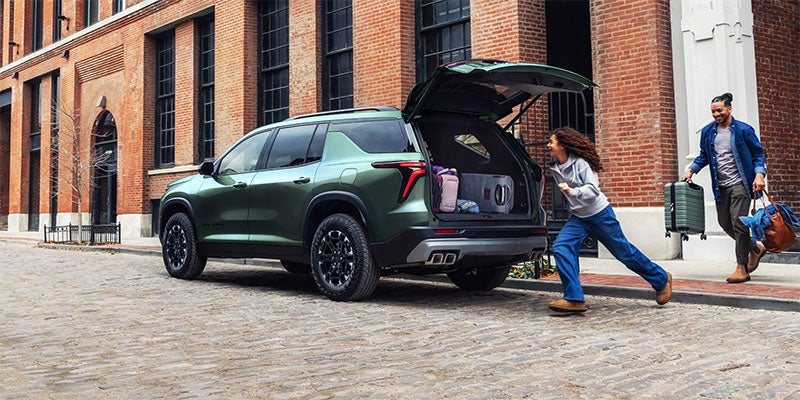
Family Loading into 2027 Traverse

Inside the 2027 Traverse: Features That Make Family Loading Easier

Loading a family SUV means making room for passengers, backpacks, groceries, and whatever the weekend brings. The Chevrolet Traverse interior offers several ways to manage those tasks, but seating configuration and equipment deserve a closer look before you choose a trim. At Finnegan Chevrolet in Rosenberg, start your comparison by trying the features your family will use most often. Third-row access and seat controls can matter just as much as overall passenger capacity. Start With Seven Seats or Eight The 2027 Traverse LT offers seven-passenger seating or an available eight-passenger configuration. The choice changes how your family uses the second row and reaches the back. Captain’s chairs provide a center aisle, while a second-row bench adds another passenger position. If you regularly carry extra children for school or sports, that additional seat may be useful. Bring your child seats when comparing layouts. Check how their placement affects third-row access, and have your usual rear passengers climb in and out with the front seats adjusted normally. Try Smart Slide for Third-Row Access Smart Slide seats help create an entry path by moving a second-row seat forward. Ask for a demonstration on the specific seating layout you’re considering, then try the release yourself while the vehicle is parked. Check whether the handle is easy to reach and whether the opening works comfortably for the person using it. Follow the vehicle and child-seat instructions when evaluating permitted seat movements. Folding equipment also varies across the lineup. The RS includes One-Touch Fold second-row seats and power-folding third-row seating. Confirm the controls on other trims rather than assuming every Traverse operates the same way. Test Cargo Space With Your Seats in Use The Traverse offers up to 98 cubic feet of maximum cargo space with the rear rows folded. That figure describes a cargo-focused arrangement, so it doesn’t tell you how your luggage fits when the family is aboard. Start with the third row upright. Bring a stroller, cooler, or sports bags and check the space behind the seats. Then try folding the sections you could realistically leave unused. Pay attention to the loading height and how easily you can reach items farther inside. These Traverse family features are most useful when they fit the gear you actually carry. Demonstrate the AutoSense Power Liftgate The AutoSense power liftgate provides hands-free opening and is included on the LT. It can simplify loading when you’re carrying bags or helping children. Ask the team to demonstrate its operation with the key fob. Also check the clearance needed above and behind the vehicle, especially if you park in a garage. Choose Around Your Family’s Routine An extra passenger seat, easier third-row access, and automatic folding controls solve different needs. Compare the equipment on each vehicle’s window sticker, then decide which conveniences you’ll regularly use. Visit Finnegan Chevrolet in Rosenberg to explore the 2027 Traverse interior and compare seating options. Trying the seats and loading your own gear can help you choose a configuration that works throughout the week.

Chevrolet

Understanding the Differences in Chevrolet Lease Structures

As summer winds down in Texas, now is a smart time to start thinking ahead. For many drivers, that means rethinking how they use their vehicles and whether a lease makes sense before the busier fall season hits. Around this time of year, life tends to speed back up with school, work, and longer commutes. Chevrolet offers different car leasing options, but they can look a bit confusing at first. Terms like closed-end and residual value may not mean much until you break them down. If you're thinking about skipping the long-term loan and trying something more flexible, understanding the lease types first can save time and stress later. What Is a Lease and How Is It Different from Buying? Leasing a car means you're paying to use it for a set amount of time instead of owning it. The contract usually runs for two to three years and includes details like monthly payments, included mileage, and what counts as normal wear. If you buy a car, you own it outright or finance it with a loan, and it's yours to keep or sell later. With leasing, the dealership still owns the car, and you agree to return it in good condition when the term ends. Leases often have lower monthly payments compared to loan financing. Most leases have set mileage limits, with extra fees if you go over. At the end of a lease, you either return the car or sometimes have the option to buy it. For people who don’t drive much or who like swapping vehicles every few years, leasing can feel like a better fit. Common Chevrolet Lease Structures Drivers See Every driver’s needs are different, which is why Chevrolet offers a few types of loan setups rather than a one-size-fits-all model. Each structure comes with different pros depending on how you drive and how long you want to keep the vehicle. Closed-end leases are the most common. You hand the car back when the term ends. You don't have to worry about resale value. If it's still in good shape and within mileage limits, you're all set. One-pay leases are paid in a single up-front payment rather than monthly installments. This type can sometimes offer savings and is useful for drivers who prefer fewer monthly expenses. Lease programs tied to loyalty or repeat drivers may allow better terms or more flexibility if you've leased before or stick with Chevrolet every few years. It's worth reading through the details before choosing. What looks good on the surface might not be the best match for your daily habits. How Lease Terms Can Change Based on Use Texas drivers often cover a lot of ground, whether for work or road trips. That means lease mileage and usage rules can play a bigger part in your decision. If you drive long distances often, check the mileage cap closely. Many leases give an average yearly max, but extras can usually be added upfront. For people who mostly use their car around town, a standard lease mileage limit may be just fine. Summer and holiday driving can add surprises. If your miles go up during vacation or family events, plan ahead for that increase before locking into a lease. Some leases include wear-and-tear limits. Highway driving is usually lighter on wear than constant stop-and-go city use, especially in summer heat. The key is picking terms that match your real routine, not just your ideal routine. Making Sense of Payments and Incentives Lease pricing involves more than the monthly number on the sticker. The total cost is shaped by factors that can shift depending on model, market, or specific dealership events. Down payments can reduce monthly costs, but paying less up front usually means higher monthly fees. Residual value is what the car is worth at the end of the lease. A higher residual value usually helps keep costs lower. Promotions might offer tempting monthly rates or low up-front costs, but make sure to read the full terms, including fees for going over mileage or ending early. Prices can vary based on trim levels, model years, and even color availability. Newer models or rare trims may cost more to lease. Being aware of what influences the structure helps you ask the right questions and budget without surprises. What to Think About Before Signing a Chevrolet Lease Before signing anything, it’s good to slow things down and ask how a lease would fit in your bigger picture. Ask about the full term length and whether it's flexible at all. Find out what happens if you need to end the lease early or swap cars before the term ends. Check if regular maintenance is included or expected during the lease. Some drivers prefer to have tire rotations and oil changes covered. Think about what might change during your lease period, like job shifts, school plans, or growing families. Will the car still fit after two years? Getting all the information up front makes it easier to avoid getting locked into something that doesn’t work six months down the road. Choosing the Lease That Matches How You Drive Car leasing options aren't just about numbers on paper. They’re about how you actually live and drive. If you're driving a long way every week or prefer a new car every few years, Chevrolet leasing structures give you room to plan. Understanding what separates one lease from another lets you avoid guesswork and feel more prepared come signing day. Right now, as we near the end of summer in Rosenberg, Texas, it’s a good time to step back and look at how your car fits into your daily routines. Matching the lease to that rhythm makes the experience smoother from start to finish. Ready to explore leasing options tailored to your needs? At Finnegan Chevrolet Buick GMC, our team is dedicated to helping you find the perfect fit for your lifestyle, whether you're interested in flexibility, the latest models, or manageable commitments. Discover our Chevy best lease deals and take the first step toward driving a car that complements your routine in Rosenberg, Texas. Let us guide you with expert advice and friendly service to ensure a smooth leasing experience.

GMC

Checklist for Visiting a GMC Dealer in Rosenberg for the First Time

Visiting a GMC dealer in Rosenberg, TX, for the first time can feel like a big step, especially if you haven’t been to a dealership in a while or don’t know what to expect. Walking into a showroom on a hot August day might just add to the overwhelm. That Texas sun can really turn up the heat, so it is a good idea to prep for both the weather and the visit itself. A little planning up front can help you make the most of your time and feel more confident about what comes next. Knowing what to bring, what to ask, and what to look for can save time and help you focus while you're there. Whether you're just browsing or ready to buy, being prepared helps you walk away knowing you made the most of your visit. Know What Vehicle You Want to Test Drive Before you head to any GMC dealer in Rosenberg, TX, take some time to do a little homework. You don’t need to become an expert, but getting familiar with GMC models can help narrow things down fast once you're on-site. Make a list of models you're interested in Write down a few must-have features, like towing capacity, third-row seating, or remote start Be open to suggestions in case a similar vehicle better meets your needs Salespeople can help guide you if something you like isn’t available or if there's something even better you didn’t know about. Walking in with an idea of what you want (and what you don’t) makes the test-drive process a lot smoother. What to Bring With You on Your Visit Planning ahead can keep your visit on track and help avoid any slowdowns. Bringing a few key things with you can make a big difference, especially if you're hoping to drive something or talk numbers. Bring a valid driver’s license so you can hit the road for a test drive Have recent pay stubs or financing pre-approval documents with you if you're planning to buy Carry a bottle of water and dress for the heat, you might be walking around the lot a lot more than expected The Texas heat in August can sneak up on you fast. Staying hydrated and comfortable helps you focus more on the vehicles and less on the sweat. Questions to Ask While You're at the Dealership A first visit isn’t just about seeing cars. It’s your chance to ask questions that help connect the dots and give you peace of mind. If something is on your mind, even if it seems small, it’s worth bringing up. Ask what warranties or service plans are included with the vehicles Find out how long the models you're looking at usually stay in stock If you're sensitive to heat, ask how the cabin design helps with interior cooling If you’re trading in a vehicle, get details on how that process works and what info you’ll need Being direct helps avoid missed details and makes it easier to compare what you're seeing. Exploring the Dealership's Facilities and Services While you’re waiting or between test drives, take a minute to look around the dealership’s spaces. How a dealer handles their service center and customer areas can give you a better picture of what long-term support might feel like. Ask to see the service area if it’s not in plain sight Look around the waiting areas to see if they’re clean and comfortable Ask if they offer scheduled maintenance plans or provide loaner vehicles for service appointments If you plan to service your car at the same location where you buy it, knowing what those spaces are like and what’s covered over time matters more than you’d think. Final Check: Review and Reflect Before You Decide It's easy to get caught up in the moment, especially when a car feels just right during a test drive. But it’s okay to pause and take a second look before deciding. Don’t rush the process. Take another test drive if something didn’t feel quite right Compare trims, model years, and even colors while you’re there Use your phone or a notebook to track what stood out and what you still have questions about When you get home, those notes can help guide your thinking. Sometimes having the time to sleep on it helps you see things more clearly. Making Your First Visit Count in the Long Run Your first visit to a dealership should leave you feeling informed, not rushed. Whether you're ready to buy now or just doing research, what matters most is that you feel confident in the next step. By asking the right questions, showing up prepared, and taking the time to look at your options, you're setting yourself up for a smoother experience. Walking the lot in August heat might be a workout, but it’s worth it to feel comfortable with your decision when you’re behind the wheel. Ready to visit a GMC dealership in Rosenberg, TX and explore the range of vehicles that fit your needs? At Finnegan Chevrolet Buick GMC, our team is prepared to assist you with any questions you might have, from test drives to trade-ins. Feel the thrill of discovering the perfect GMC model that meets all your requirements. Visit us now and make your next drive unforgettable!